Ordering begins at the table
Use QR-based ordering to connect the customer table with your restaurant workflow.
- Table context
- QR ordering
- Connected orders
Connect customer orders, servers, kitchen sections and billing. FlashDine brings restaurant operations together so your team can follow an order through to payment.
Restaurants · Cafes · Table-service teams
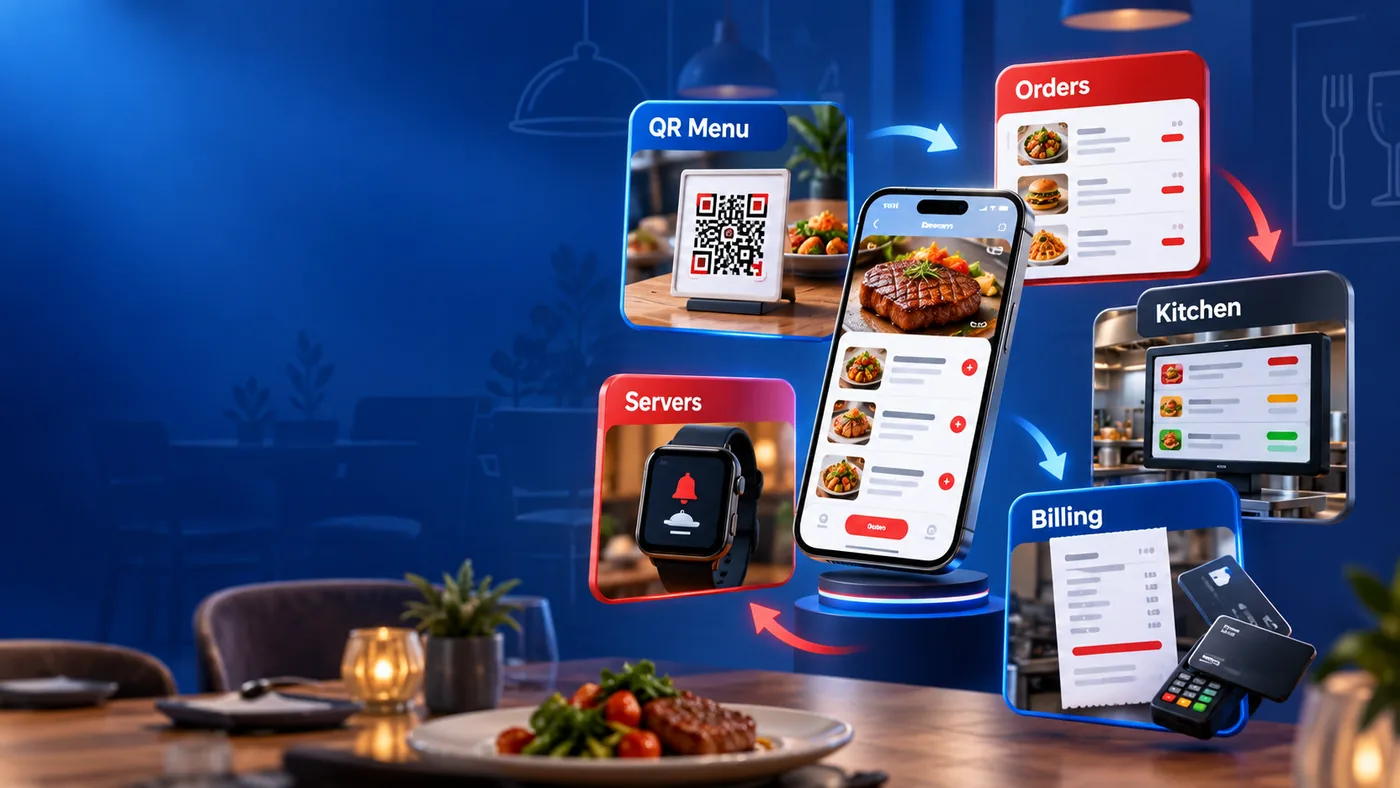
Connect customer orders, servers, kitchen sections and billing. FlashDine brings restaurant operations together so your team can follow an order through to payment.
Use QR-based ordering to connect the customer table with your restaurant workflow.
Keep staff work connected with the order, instead of treating service and billing as separate tasks.
Connect orders with the relevant kitchen sections so preparation follows your restaurant setup.
Bring restaurant orders through to billing, with the counter connected to the service workflow.
Connect customer tables, staff, kitchen and management in a single restaurant system.
Open the existing cafe system to explore the restaurant experience. Contact FlashApp for a guided walkthrough.
Begin with the customer table and QR order.
Keep the server connected with the table.
Route the order to the kitchen section.
Complete the order through restaurant billing.
Yes. QR-based ordering connects customer tables with the restaurant order workflow.
Restaurants and cafes that want to connect table service, kitchen preparation and billing.
The QR graphic in the logo is a branding illustration. Use the table QR issued by your restaurant system for customer ordering.
Use the live system link or contact FlashApp for a guided walkthrough. Access depends on the existing restaurant login setup.
Tell us about your team and the way you work.
Customer menu opens directly. Staff access requires the restaurant login; private staff credentials are not published here.
Open restaurant system